บทเรียนและวิธีแก้ปัญหา PDF
จัดระเบียบ PDF
จัดเรียง ลบ และแทรกหน้า PDF เพื่อให้เอกสารอ่านได้ชัดเจนตั้งแต่ต้นจนจบ
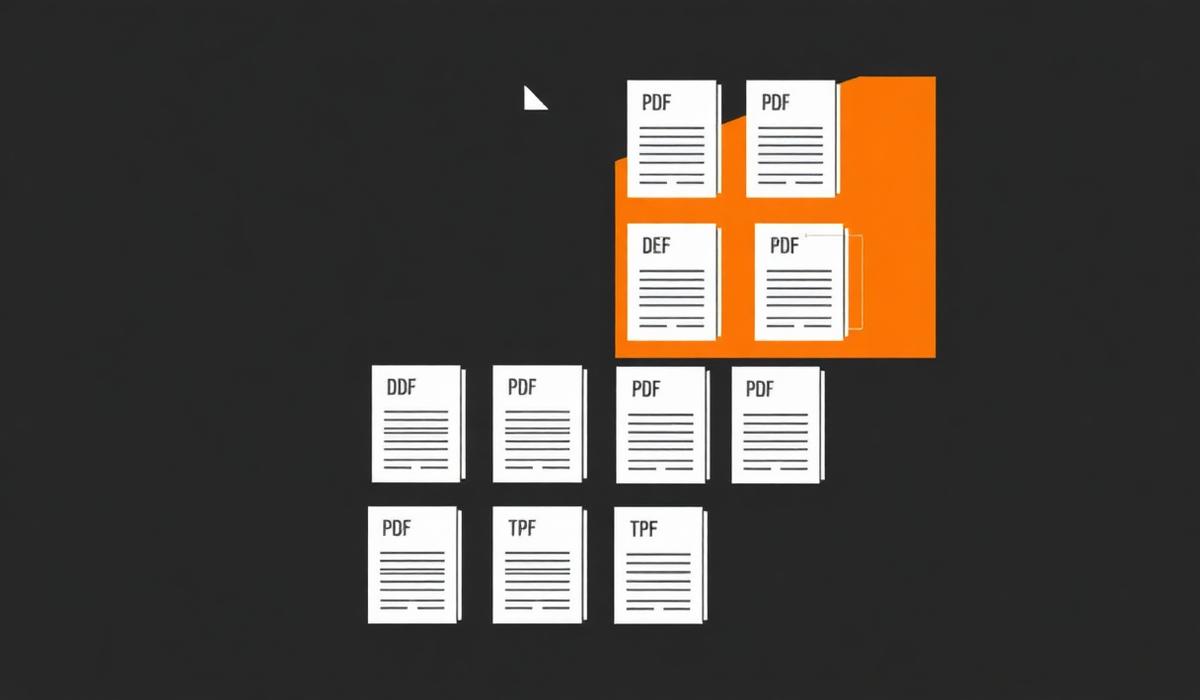
จัดระเบียบ PDF can feel simple until pages shift, formatting breaks, or the final document is larger than expected. This guide shows a dependable workflow so you can finish the task quickly and avoid common mistakes.
%22%2F%3E%0A%20%20%3Ccircle%20cx%3D%22900%22%20cy%3D%22210%22%20r%3D%22420%22%20fill%3D%22url(%23glow)%22%2F%3E%0A%20%20%0A%20%20%20%20%20%20%0A%20%20%20%20%3Cg%20transform%3D%22translate(120%20220)%22%3E%0A%20%20%20%20%20%20%3Crect%20x%3D%226%22%20y%3D%226%22%20width%3D%22260%22%20height%3D%22260%22%20rx%3D%2210%22%20fill%3D%22%23000%22%20opacity%3D%220.45%22%2F%3E%0A%20%20%20%20%20%20%3Crect%20width%3D%22260%22%20height%3D%22260%22%20rx%3D%2210%22%20fill%3D%22%23f6efe6%22%2F%3E%0A%20%20%20%20%20%20%3Crect%20x%3D%2214%22%20y%3D%2214%22%20width%3D%22143%22%20height%3D%2210%22%20rx%3D%224%22%20fill%3D%22%23111%22%20opacity%3D%220.75%22%2F%3E%0A%20%20%20%20%20%20%3Crect%20x%3D%2214%22%20y%3D%2234%22%20width%3D%22232%22%20height%3D%226%22%20rx%3D%223%22%20fill%3D%22%23111%22%20opacity%3D%220.28%22%2F%3E%0A%20%20%20%20%20%20%3Crect%20x%3D%2214%22%20y%3D%2248%22%20width%3D%22220%22%20height%3D%226%22%20rx%3D%223%22%20fill%3D%22%23111%22%20opacity%3D%220.28%22%2F%3E%0A%20%20%20%20%20%20%3Crect%20x%3D%2214%22%20y%3D%2262%22%20width%3D%22200%22%20height%3D%226%22%20rx%3D%223%22%20fill%3D%22%23111%22%20opacity%3D%220.28%22%2F%3E%0A%20%20%20%20%20%20%3Crect%20x%3D%220%22%20y%3D%22246%22%20width%3D%22260%22%20height%3D%2214%22%20rx%3D%220%22%20fill%3D%22%23f28434%22%2F%3E%0A%20%20%20%20%3C%2Fg%3E%0A%20%20%20%20%20%20%3Cpath%20d%3D%22M%20400%20350%20L%20520%20350%22%20stroke%3D%22%23f28434%22%20stroke-width%3D%2210%22%20stroke-linecap%3D%22round%22%2F%3E%0A%20%20%20%20%20%20%3Cpolygon%20points%3D%22520%2C335%20555%2C350%20520%2C365%22%20fill%3D%22%23f28434%22%2F%3E%0A%20%20%20%20%20%20%3Cg%20transform%3D%22translate(560%20200)%22%3E%0A%20%20%20%20%20%20%20%20%3Crect%20width%3D%22200%22%20height%3D%22300%22%20rx%3D%2224%22%20fill%3D%22url(%23orange)%22%2F%3E%0A%20%20%20%20%20%20%20%20%3Ctext%20x%3D%22100%22%20y%3D%22180%22%20text-anchor%3D%22middle%22%20font-family%3D%22Space%20Grotesk%22%20font-size%3D%22120%22%20font-weight%3D%22700%22%20fill%3D%22%230b0b10%22%3E%E2%89%A1%3C%2Ftext%3E%0A%20%20%20%20%20%20%3C%2Fg%3E%0A%20%20%20%20%20%20%3Cpath%20d%3D%22M%20780%20350%20L%20900%20350%22%20stroke%3D%22%23f28434%22%20stroke-width%3D%2210%22%20stroke-linecap%3D%22round%22%2F%3E%0A%20%20%20%20%20%20%3Cpolygon%20points%3D%22900%2C335%20935%2C350%20900%2C365%22%20fill%3D%22%23f28434%22%2F%3E%0A%20%20%20%20%20%20%0A%20%20%20%20%3Cg%20transform%3D%22translate(940%20220)%22%3E%0A%20%20%20%20%20%20%3Crect%20x%3D%226%22%20y%3D%226%22%20width%3D%22260%22%20height%3D%22260%22%20rx%3D%2210%22%20fill%3D%22%23000%22%20opacity%3D%220.45%22%2F%3E%0A%20%20%20%20%20%20%3Crect%20width%3D%22260%22%20height%3D%22260%22%20rx%3D%2210%22%20fill%3D%22%23fff7ec%22%2F%3E%0A%20%20%20%20%20%20%3Crect%20x%3D%2214%22%20y%3D%2214%22%20width%3D%22143%22%20height%3D%2210%22%20rx%3D%224%22%20fill%3D%22%23111%22%20opacity%3D%220.75%22%2F%3E%0A%20%20%20%20%20%20%3Crect%20x%3D%2214%22%20y%3D%2234%22%20width%3D%22232%22%20height%3D%226%22%20rx%3D%223%22%20fill%3D%22%23111%22%20opacity%3D%220.28%22%2F%3E%0A%20%20%20%20%20%20%3Crect%20x%3D%2214%22%20y%3D%2248%22%20width%3D%22220%22%20height%3D%226%22%20rx%3D%223%22%20fill%3D%22%23111%22%20opacity%3D%220.28%22%2F%3E%0A%20%20%20%20%20%20%3Crect%20x%3D%2214%22%20y%3D%2262%22%20width%3D%22200%22%20height%3D%226%22%20rx%3D%223%22%20fill%3D%22%23111%22%20opacity%3D%220.28%22%2F%3E%0A%20%20%20%20%20%20%3Crect%20x%3D%220%22%20y%3D%22246%22%20width%3D%22260%22%20height%3D%2214%22%20rx%3D%220%22%20fill%3D%22%23c25a10%22%2F%3E%0A%20%20%20%20%3C%2Fg%3E%0A%3C%2Fsvg%3E)
ภาพรวมของปัญหา
จัดระเบียบ PDF problems usually appear when documents come from different devices, scanners, or export settings. Files may look correct at first, then behave differently once opened on another computer or shared with a client.
ทำไมถึงเกิดปัญหานี้
Most PDF issues come from mismatched page sizes, embedded fonts, image-heavy pages, hidden security settings, or files created in different apps. Once those elements are combined, the result can be confusing unless you review the output carefully.
วิธีแก้ทีละขั้นตอน
- 1. เปิดไฟล์ต้นฉบับ — Use จัดระเบียบ pdf settings that match your final goal, then verify the preview before saving.
- 2. ตรวจสอบลำดับหน้า — Use จัดระเบียบ pdf settings that match your final goal, then verify the preview before saving.
- 3. ทำการแปลงหรือแก้ไข — Use จัดระเบียบ pdf settings that match your final goal, then verify the preview before saving.
- 4. ตรวจสอบผลลัพธ์ — Use จัดระเบียบ pdf settings that match your final goal, then verify the preview before saving.
- 5. บันทึกและแชร์ PDF ฉบับสุดท้าย — Use จัดระเบียบ pdf settings that match your final goal, then verify the preview before saving.
%22%2F%3E%0A%20%20%3Ccircle%20cx%3D%22900%22%20cy%3D%22210%22%20r%3D%22420%22%20fill%3D%22url(%23glow)%22%2F%3E%0A%20%20%0A%20%20%20%20%20%20%0A%20%20%20%20%3Cg%20transform%3D%22translate(300%20480)%22%3E%0A%20%20%20%20%20%20%3Crect%20x%3D%226%22%20y%3D%226%22%20width%3D%22600%22%20height%3D%22120%22%20rx%3D%2210%22%20fill%3D%22%23000%22%20opacity%3D%220.45%22%2F%3E%0A%20%20%20%20%20%20%3Crect%20width%3D%22600%22%20height%3D%22120%22%20rx%3D%2210%22%20fill%3D%22%23fdead3%22%2F%3E%0A%20%20%20%20%20%20%3Crect%20x%3D%2214%22%20y%3D%2214%22%20width%3D%22330%22%20height%3D%2210%22%20rx%3D%224%22%20fill%3D%22%23111%22%20opacity%3D%220.75%22%2F%3E%0A%20%20%20%20%20%20%3Crect%20x%3D%2214%22%20y%3D%2234%22%20width%3D%22572%22%20height%3D%226%22%20rx%3D%223%22%20fill%3D%22%23111%22%20opacity%3D%220.28%22%2F%3E%0A%20%20%20%20%20%20%3Crect%20x%3D%2214%22%20y%3D%2248%22%20width%3D%22560%22%20height%3D%226%22%20rx%3D%223%22%20fill%3D%22%23111%22%20opacity%3D%220.28%22%2F%3E%0A%20%20%20%20%20%20%3Crect%20x%3D%2214%22%20y%3D%2262%22%20width%3D%22540%22%20height%3D%226%22%20rx%3D%223%22%20fill%3D%22%23111%22%20opacity%3D%220.28%22%2F%3E%0A%20%20%20%20%20%20%3Crect%20x%3D%220%22%20y%3D%22106%22%20width%3D%22600%22%20height%3D%2214%22%20rx%3D%220%22%20fill%3D%22%23f28434%22%2F%3E%0A%20%20%20%20%3C%2Fg%3E%0A%20%20%20%20%20%20%0A%20%20%20%20%3Cg%20transform%3D%22translate(340%20360)%22%3E%0A%20%20%20%20%20%20%3Crect%20x%3D%226%22%20y%3D%226%22%20width%3D%22520%22%20height%3D%22130%22%20rx%3D%2210%22%20fill%3D%22%23000%22%20opacity%3D%220.45%22%2F%3E%0A%20%20%20%20%20%20%3Crect%20width%3D%22520%22%20height%3D%22130%22%20rx%3D%2210%22%20fill%3D%22%23fff7ec%22%2F%3E%0A%20%20%20%20%20%20%3Crect%20x%3D%2214%22%20y%3D%2214%22%20width%3D%22286%22%20height%3D%2210%22%20rx%3D%224%22%20fill%3D%22%23111%22%20opacity%3D%220.75%22%2F%3E%0A%20%20%20%20%20%20%3Crect%20x%3D%2214%22%20y%3D%2234%22%20width%3D%22492%22%20height%3D%226%22%20rx%3D%223%22%20fill%3D%22%23111%22%20opacity%3D%220.28%22%2F%3E%0A%20%20%20%20%20%20%3Crect%20x%3D%2214%22%20y%3D%2248%22%20width%3D%22480%22%20height%3D%226%22%20rx%3D%223%22%20fill%3D%22%23111%22%20opacity%3D%220.28%22%2F%3E%0A%20%20%20%20%20%20%3Crect%20x%3D%2214%22%20y%3D%2262%22%20width%3D%22460%22%20height%3D%226%22%20rx%3D%223%22%20fill%3D%22%23111%22%20opacity%3D%220.28%22%2F%3E%0A%20%20%20%20%20%20%3Crect%20x%3D%220%22%20y%3D%22116%22%20width%3D%22520%22%20height%3D%2214%22%20rx%3D%220%22%20fill%3D%22%23c25a10%22%2F%3E%0A%20%20%20%20%3C%2Fg%3E%0A%20%20%20%20%20%20%0A%20%20%20%20%3Cg%20transform%3D%22translate(380%20240)%22%3E%0A%20%20%20%20%20%20%3Crect%20x%3D%226%22%20y%3D%226%22%20width%3D%22440%22%20height%3D%22140%22%20rx%3D%2210%22%20fill%3D%22%23000%22%20opacity%3D%220.45%22%2F%3E%0A%20%20%20%20%20%20%3Crect%20width%3D%22440%22%20height%3D%22140%22%20rx%3D%2210%22%20fill%3D%22%23f6efe6%22%2F%3E%0A%20%20%20%20%20%20%3Crect%20x%3D%2214%22%20y%3D%2214%22%20width%3D%22242.00000000000003%22%20height%3D%2210%22%20rx%3D%224%22%20fill%3D%22%23111%22%20opacity%3D%220.75%22%2F%3E%0A%20%20%20%20%20%20%3Crect%20x%3D%2214%22%20y%3D%2234%22%20width%3D%22412%22%20height%3D%226%22%20rx%3D%223%22%20fill%3D%22%23111%22%20opacity%3D%220.28%22%2F%3E%0A%20%20%20%20%20%20%3Crect%20x%3D%2214%22%20y%3D%2248%22%20width%3D%22400%22%20height%3D%226%22%20rx%3D%223%22%20fill%3D%22%23111%22%20opacity%3D%220.28%22%2F%3E%0A%20%20%20%20%20%20%3Crect%20x%3D%2214%22%20y%3D%2262%22%20width%3D%22380%22%20height%3D%226%22%20rx%3D%223%22%20fill%3D%22%23111%22%20opacity%3D%220.28%22%2F%3E%0A%20%20%20%20%20%20%3Crect%20x%3D%220%22%20y%3D%22126%22%20width%3D%22440%22%20height%3D%2214%22%20rx%3D%220%22%20fill%3D%22%23f28434%22%2F%3E%0A%20%20%20%20%3C%2Fg%3E%0A%20%20%20%20%20%20%0A%20%20%20%20%3Cg%20transform%3D%22translate(420%20120)%22%3E%0A%20%20%20%20%20%20%3Crect%20x%3D%226%22%20y%3D%226%22%20width%3D%22360%22%20height%3D%22150%22%20rx%3D%2210%22%20fill%3D%22%23000%22%20opacity%3D%220.45%22%2F%3E%0A%20%20%20%20%20%20%3Crect%20width%3D%22360%22%20height%3D%22150%22%20rx%3D%2210%22%20fill%3D%22%23ffffff%22%2F%3E%0A%20%20%20%20%20%20%3Crect%20x%3D%2214%22%20y%3D%2214%22%20width%3D%22198.00000000000003%22%20height%3D%2210%22%20rx%3D%224%22%20fill%3D%22%23111%22%20opacity%3D%220.75%22%2F%3E%0A%20%20%20%20%20%20%3Crect%20x%3D%2214%22%20y%3D%2234%22%20width%3D%22332%22%20height%3D%226%22%20rx%3D%223%22%20fill%3D%22%23111%22%20opacity%3D%220.28%22%2F%3E%0A%20%20%20%20%20%20%3Crect%20x%3D%2214%22%20y%3D%2248%22%20width%3D%22320%22%20height%3D%226%22%20rx%3D%223%22%20fill%3D%22%23111%22%20opacity%3D%220.28%22%2F%3E%0A%20%20%20%20%20%20%3Crect%20x%3D%2214%22%20y%3D%2262%22%20width%3D%22300%22%20height%3D%226%22%20rx%3D%223%22%20fill%3D%22%23111%22%20opacity%3D%220.28%22%2F%3E%0A%20%20%20%20%20%20%3Crect%20x%3D%220%22%20y%3D%22136%22%20width%3D%22360%22%20height%3D%2214%22%20rx%3D%220%22%20fill%3D%22%23f28434%22%2F%3E%0A%20%20%20%20%3C%2Fg%3E%0A%20%20%20%20%20%20%3Cg%20transform%3D%22translate(880%2060)%22%3E%0A%20%20%20%20%20%20%20%20%3Crect%20width%3D%22180%22%20height%3D%22180%22%20rx%3D%2234%22%20fill%3D%22url(%23orange)%22%2F%3E%0A%20%20%20%20%20%20%20%20%3Ctext%20x%3D%2290%22%20y%3D%22125%22%20text-anchor%3D%22middle%22%20font-family%3D%22Space%20Grotesk%22%20font-size%3D%22110%22%20font-weight%3D%22700%22%20fill%3D%22%230b0b10%22%3E%E2%89%A1%3C%2Ftext%3E%0A%20%20%20%20%20%20%3C%2Fg%3E%0A%3C%2Fsvg%3E)
วิธีแก้ปัญหา
The most reliable solution is to work from a clean source file, adjust only what you need, and export a fresh PDF at the end. Avoid repeating conversions multiple times because each extra pass can introduce layout or quality issues.
เคล็ดลับเพิ่มเติม
- เก็บสำเนาไฟล์ต้นฉบับไว้ก่อนแก้ไข
- ตั้งชื่อไฟล์ให้ชัดเจนเพื่อหาเวอร์ชันล่าสุดได้ง่าย
- ตรวจสอบการหมุนหน้าและขอบกระดาษก่อนส่งเอกสาร
%22%2F%3E%0A%20%20%3Ccircle%20cx%3D%22900%22%20cy%3D%22210%22%20r%3D%22420%22%20fill%3D%22url(%23glow)%22%2F%3E%0A%20%20%0A%20%20%20%20%20%20%3Cg%20transform%3D%22translate(200%20160)%22%3E%0A%20%20%20%20%20%20%20%20%3Crect%20width%3D%22800%22%20height%3D%22400%22%20rx%3D%2224%22%20fill%3D%22%23151016%22%20stroke%3D%22%23f28434%22%20stroke-opacity%3D%220.35%22%2F%3E%0A%20%20%20%20%20%20%20%20%3Crect%20x%3D%2240%22%20y%3D%2240%22%20width%3D%22720%22%20height%3D%2220%22%20rx%3D%226%22%20fill%3D%22%23f28434%22%20opacity%3D%220.4%22%2F%3E%0A%20%20%20%20%20%20%20%20%3Crect%20x%3D%2240%22%20y%3D%2280%22%20width%3D%22520%22%20height%3D%2214%22%20rx%3D%226%22%20fill%3D%22%23fff%22%20opacity%3D%220.35%22%2F%3E%0A%20%20%20%20%20%20%20%20%3Crect%20x%3D%2240%22%20y%3D%22110%22%20width%3D%22600%22%20height%3D%2214%22%20rx%3D%226%22%20fill%3D%22%23fff%22%20opacity%3D%220.25%22%2F%3E%0A%20%20%20%20%20%20%20%20%3Crect%20x%3D%2240%22%20y%3D%22140%22%20width%3D%22460%22%20height%3D%2214%22%20rx%3D%226%22%20fill%3D%22%23fff%22%20opacity%3D%220.25%22%2F%3E%0A%20%20%20%20%20%20%20%20%3Crect%20x%3D%2240%22%20y%3D%22200%22%20width%3D%22720%22%20height%3D%22160%22%20rx%3D%2212%22%20fill%3D%22%230b0b10%22%2F%3E%0A%20%20%20%20%20%20%20%20%3Cg%20transform%3D%22translate(320%20220)%22%3E%0A%20%20%20%20%20%20%20%20%20%20%3Crect%20width%3D%22160%22%20height%3D%22120%22%20rx%3D%2218%22%20fill%3D%22url(%23orange)%22%2F%3E%0A%20%20%20%20%20%20%20%20%20%20%3Ctext%20x%3D%2280%22%20y%3D%2288%22%20text-anchor%3D%22middle%22%20font-family%3D%22Space%20Grotesk%22%20font-size%3D%2272%22%20font-weight%3D%22700%22%20fill%3D%22%230b0b10%22%3E%E2%89%A1%3C%2Ftext%3E%0A%20%20%20%20%20%20%20%20%3C%2Fg%3E%0A%20%20%20%20%20%20%3C%2Fg%3E%0A%20%20%20%20%20%20%3Ctext%20x%3D%22600%22%20y%3D%2290%22%20text-anchor%3D%22middle%22%20font-family%3D%22Space%20Grotesk%22%20font-size%3D%2234%22%20font-weight%3D%22700%22%20fill%3D%22%23ffb26b%22%3E%E0%B8%88%E0%B8%B1%E0%B8%94%E0%B8%A3%E0%B8%B0%E0%B9%80%E0%B8%9A%E0%B8%B5%E0%B8%A2%E0%B8%9A%20PDF%3C%2Ftext%3E%0A%3C%2Fsvg%3E)
คำถามที่พบบ่อย
จัดระเบียบ PDF: การแก้ไขจะทำให้คุณภาพลดลงไหม?
อาจเกิดขึ้นได้หากบีบอัดรูปภาพแรงเกินไป ควรตรวจสอบไฟล์ผลลัพธ์ก่อนแชร์
จัดระเบียบ PDF: ทำบนมือถือได้ไหม?
ได้ แต่เดสก์ท็อปจะสะดวกกว่าเมื่อคุณต้องตรวจหลายหน้าอย่างละเอียด
จัดระเบียบ PDF: ควรเก็บไฟล์ต้นฉบับไหม?
ควรเก็บเสมอ เผื่อต้องย้อนกลับหรือกู้รูปแบบเดิม
สรุป
จัดระเบียบ PDF becomes much easier when you treat the PDF as a final-review format instead of an endless editing file. Follow the steps above, double-check the result, and keep a backup so you can move fast with confidence.