PDF チュートリアル & ソリューション
PDF を分割
長い PDF から必要なページだけを抜き出し、元ファイルを壊さない方法です。
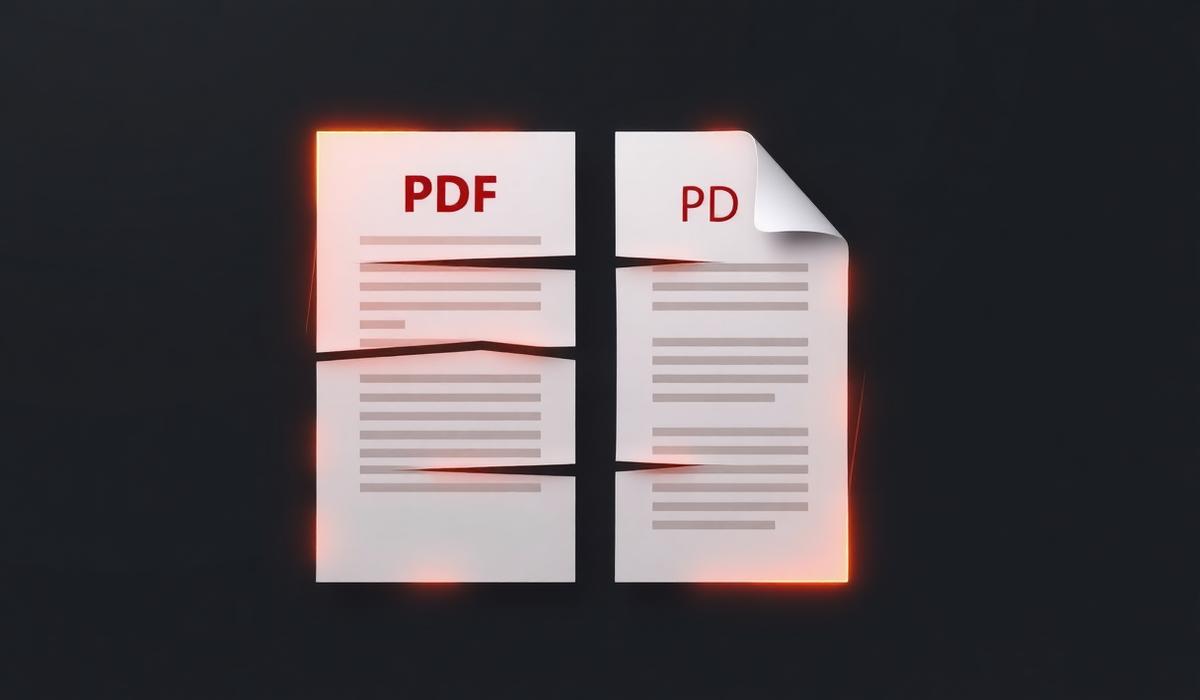
PDF を分割 can feel simple until pages shift, formatting breaks, or the final document is larger than expected. This guide shows a dependable workflow so you can finish the task quickly and avoid common mistakes.
%22%2F%3E%0A%20%20%3Ccircle%20cx%3D%22900%22%20cy%3D%22210%22%20r%3D%22420%22%20fill%3D%22url(%23glow)%22%2F%3E%0A%20%20%0A%20%20%20%20%20%20%0A%20%20%20%20%3Cg%20transform%3D%22translate(120%20220)%22%3E%0A%20%20%20%20%20%20%3Crect%20x%3D%226%22%20y%3D%226%22%20width%3D%22260%22%20height%3D%22260%22%20rx%3D%2210%22%20fill%3D%22%23000%22%20opacity%3D%220.45%22%2F%3E%0A%20%20%20%20%20%20%3Crect%20width%3D%22260%22%20height%3D%22260%22%20rx%3D%2210%22%20fill%3D%22%23f6efe6%22%2F%3E%0A%20%20%20%20%20%20%3Crect%20x%3D%2214%22%20y%3D%2214%22%20width%3D%22143%22%20height%3D%2210%22%20rx%3D%224%22%20fill%3D%22%23111%22%20opacity%3D%220.75%22%2F%3E%0A%20%20%20%20%20%20%3Crect%20x%3D%2214%22%20y%3D%2234%22%20width%3D%22232%22%20height%3D%226%22%20rx%3D%223%22%20fill%3D%22%23111%22%20opacity%3D%220.28%22%2F%3E%0A%20%20%20%20%20%20%3Crect%20x%3D%2214%22%20y%3D%2248%22%20width%3D%22220%22%20height%3D%226%22%20rx%3D%223%22%20fill%3D%22%23111%22%20opacity%3D%220.28%22%2F%3E%0A%20%20%20%20%20%20%3Crect%20x%3D%2214%22%20y%3D%2262%22%20width%3D%22200%22%20height%3D%226%22%20rx%3D%223%22%20fill%3D%22%23111%22%20opacity%3D%220.28%22%2F%3E%0A%20%20%20%20%20%20%3Crect%20x%3D%220%22%20y%3D%22246%22%20width%3D%22260%22%20height%3D%2214%22%20rx%3D%220%22%20fill%3D%22%23f28434%22%2F%3E%0A%20%20%20%20%3C%2Fg%3E%0A%20%20%20%20%20%20%3Cpath%20d%3D%22M%20400%20350%20L%20520%20350%22%20stroke%3D%22%23f28434%22%20stroke-width%3D%2210%22%20stroke-linecap%3D%22round%22%2F%3E%0A%20%20%20%20%20%20%3Cpolygon%20points%3D%22520%2C335%20555%2C350%20520%2C365%22%20fill%3D%22%23f28434%22%2F%3E%0A%20%20%20%20%20%20%3Cg%20transform%3D%22translate(560%20200)%22%3E%0A%20%20%20%20%20%20%20%20%3Crect%20width%3D%22200%22%20height%3D%22300%22%20rx%3D%2224%22%20fill%3D%22url(%23orange)%22%2F%3E%0A%20%20%20%20%20%20%20%20%3Ctext%20x%3D%22100%22%20y%3D%22180%22%20text-anchor%3D%22middle%22%20font-family%3D%22Space%20Grotesk%22%20font-size%3D%22120%22%20font-weight%3D%22700%22%20fill%3D%22%230b0b10%22%3ES%3C%2Ftext%3E%0A%20%20%20%20%20%20%3C%2Fg%3E%0A%20%20%20%20%20%20%3Cpath%20d%3D%22M%20780%20350%20L%20900%20350%22%20stroke%3D%22%23f28434%22%20stroke-width%3D%2210%22%20stroke-linecap%3D%22round%22%2F%3E%0A%20%20%20%20%20%20%3Cpolygon%20points%3D%22900%2C335%20935%2C350%20900%2C365%22%20fill%3D%22%23f28434%22%2F%3E%0A%20%20%20%20%20%20%0A%20%20%20%20%3Cg%20transform%3D%22translate(940%20220)%22%3E%0A%20%20%20%20%20%20%3Crect%20x%3D%226%22%20y%3D%226%22%20width%3D%22260%22%20height%3D%22260%22%20rx%3D%2210%22%20fill%3D%22%23000%22%20opacity%3D%220.45%22%2F%3E%0A%20%20%20%20%20%20%3Crect%20width%3D%22260%22%20height%3D%22260%22%20rx%3D%2210%22%20fill%3D%22%23fff7ec%22%2F%3E%0A%20%20%20%20%20%20%3Crect%20x%3D%2214%22%20y%3D%2214%22%20width%3D%22143%22%20height%3D%2210%22%20rx%3D%224%22%20fill%3D%22%23111%22%20opacity%3D%220.75%22%2F%3E%0A%20%20%20%20%20%20%3Crect%20x%3D%2214%22%20y%3D%2234%22%20width%3D%22232%22%20height%3D%226%22%20rx%3D%223%22%20fill%3D%22%23111%22%20opacity%3D%220.28%22%2F%3E%0A%20%20%20%20%20%20%3Crect%20x%3D%2214%22%20y%3D%2248%22%20width%3D%22220%22%20height%3D%226%22%20rx%3D%223%22%20fill%3D%22%23111%22%20opacity%3D%220.28%22%2F%3E%0A%20%20%20%20%20%20%3Crect%20x%3D%2214%22%20y%3D%2262%22%20width%3D%22200%22%20height%3D%226%22%20rx%3D%223%22%20fill%3D%22%23111%22%20opacity%3D%220.28%22%2F%3E%0A%20%20%20%20%20%20%3Crect%20x%3D%220%22%20y%3D%22246%22%20width%3D%22260%22%20height%3D%2214%22%20rx%3D%220%22%20fill%3D%22%23c25a10%22%2F%3E%0A%20%20%20%20%3C%2Fg%3E%0A%3C%2Fsvg%3E)
問題の概要
PDF を分割 problems usually appear when documents come from different devices, scanners, or export settings. Files may look correct at first, then behave differently once opened on another computer or shared with a client.
なぜ起こるのか
Most PDF issues come from mismatched page sizes, embedded fonts, image-heavy pages, hidden security settings, or files created in different apps. Once those elements are combined, the result can be confusing unless you review the output carefully.
ステップバイステップの解決策
- 1. 元ファイルを開く — Use pdf を分割 settings that match your final goal, then verify the preview before saving.
- 2. ページ順を確認する — Use pdf を分割 settings that match your final goal, then verify the preview before saving.
- 3. 変換または編集を実行する — Use pdf を分割 settings that match your final goal, then verify the preview before saving.
- 4. 出力を確認する — Use pdf を分割 settings that match your final goal, then verify the preview before saving.
- 5. 最終 PDF を保存して共有する — Use pdf を分割 settings that match your final goal, then verify the preview before saving.
%22%2F%3E%0A%20%20%3Ccircle%20cx%3D%22900%22%20cy%3D%22210%22%20r%3D%22420%22%20fill%3D%22url(%23glow)%22%2F%3E%0A%20%20%0A%20%20%20%20%20%20%0A%20%20%20%20%3Cg%20transform%3D%22translate(300%20480)%22%3E%0A%20%20%20%20%20%20%3Crect%20x%3D%226%22%20y%3D%226%22%20width%3D%22600%22%20height%3D%22120%22%20rx%3D%2210%22%20fill%3D%22%23000%22%20opacity%3D%220.45%22%2F%3E%0A%20%20%20%20%20%20%3Crect%20width%3D%22600%22%20height%3D%22120%22%20rx%3D%2210%22%20fill%3D%22%23fdead3%22%2F%3E%0A%20%20%20%20%20%20%3Crect%20x%3D%2214%22%20y%3D%2214%22%20width%3D%22330%22%20height%3D%2210%22%20rx%3D%224%22%20fill%3D%22%23111%22%20opacity%3D%220.75%22%2F%3E%0A%20%20%20%20%20%20%3Crect%20x%3D%2214%22%20y%3D%2234%22%20width%3D%22572%22%20height%3D%226%22%20rx%3D%223%22%20fill%3D%22%23111%22%20opacity%3D%220.28%22%2F%3E%0A%20%20%20%20%20%20%3Crect%20x%3D%2214%22%20y%3D%2248%22%20width%3D%22560%22%20height%3D%226%22%20rx%3D%223%22%20fill%3D%22%23111%22%20opacity%3D%220.28%22%2F%3E%0A%20%20%20%20%20%20%3Crect%20x%3D%2214%22%20y%3D%2262%22%20width%3D%22540%22%20height%3D%226%22%20rx%3D%223%22%20fill%3D%22%23111%22%20opacity%3D%220.28%22%2F%3E%0A%20%20%20%20%20%20%3Crect%20x%3D%220%22%20y%3D%22106%22%20width%3D%22600%22%20height%3D%2214%22%20rx%3D%220%22%20fill%3D%22%23f28434%22%2F%3E%0A%20%20%20%20%3C%2Fg%3E%0A%20%20%20%20%20%20%0A%20%20%20%20%3Cg%20transform%3D%22translate(340%20360)%22%3E%0A%20%20%20%20%20%20%3Crect%20x%3D%226%22%20y%3D%226%22%20width%3D%22520%22%20height%3D%22130%22%20rx%3D%2210%22%20fill%3D%22%23000%22%20opacity%3D%220.45%22%2F%3E%0A%20%20%20%20%20%20%3Crect%20width%3D%22520%22%20height%3D%22130%22%20rx%3D%2210%22%20fill%3D%22%23fff7ec%22%2F%3E%0A%20%20%20%20%20%20%3Crect%20x%3D%2214%22%20y%3D%2214%22%20width%3D%22286%22%20height%3D%2210%22%20rx%3D%224%22%20fill%3D%22%23111%22%20opacity%3D%220.75%22%2F%3E%0A%20%20%20%20%20%20%3Crect%20x%3D%2214%22%20y%3D%2234%22%20width%3D%22492%22%20height%3D%226%22%20rx%3D%223%22%20fill%3D%22%23111%22%20opacity%3D%220.28%22%2F%3E%0A%20%20%20%20%20%20%3Crect%20x%3D%2214%22%20y%3D%2248%22%20width%3D%22480%22%20height%3D%226%22%20rx%3D%223%22%20fill%3D%22%23111%22%20opacity%3D%220.28%22%2F%3E%0A%20%20%20%20%20%20%3Crect%20x%3D%2214%22%20y%3D%2262%22%20width%3D%22460%22%20height%3D%226%22%20rx%3D%223%22%20fill%3D%22%23111%22%20opacity%3D%220.28%22%2F%3E%0A%20%20%20%20%20%20%3Crect%20x%3D%220%22%20y%3D%22116%22%20width%3D%22520%22%20height%3D%2214%22%20rx%3D%220%22%20fill%3D%22%23c25a10%22%2F%3E%0A%20%20%20%20%3C%2Fg%3E%0A%20%20%20%20%20%20%0A%20%20%20%20%3Cg%20transform%3D%22translate(380%20240)%22%3E%0A%20%20%20%20%20%20%3Crect%20x%3D%226%22%20y%3D%226%22%20width%3D%22440%22%20height%3D%22140%22%20rx%3D%2210%22%20fill%3D%22%23000%22%20opacity%3D%220.45%22%2F%3E%0A%20%20%20%20%20%20%3Crect%20width%3D%22440%22%20height%3D%22140%22%20rx%3D%2210%22%20fill%3D%22%23f6efe6%22%2F%3E%0A%20%20%20%20%20%20%3Crect%20x%3D%2214%22%20y%3D%2214%22%20width%3D%22242.00000000000003%22%20height%3D%2210%22%20rx%3D%224%22%20fill%3D%22%23111%22%20opacity%3D%220.75%22%2F%3E%0A%20%20%20%20%20%20%3Crect%20x%3D%2214%22%20y%3D%2234%22%20width%3D%22412%22%20height%3D%226%22%20rx%3D%223%22%20fill%3D%22%23111%22%20opacity%3D%220.28%22%2F%3E%0A%20%20%20%20%20%20%3Crect%20x%3D%2214%22%20y%3D%2248%22%20width%3D%22400%22%20height%3D%226%22%20rx%3D%223%22%20fill%3D%22%23111%22%20opacity%3D%220.28%22%2F%3E%0A%20%20%20%20%20%20%3Crect%20x%3D%2214%22%20y%3D%2262%22%20width%3D%22380%22%20height%3D%226%22%20rx%3D%223%22%20fill%3D%22%23111%22%20opacity%3D%220.28%22%2F%3E%0A%20%20%20%20%20%20%3Crect%20x%3D%220%22%20y%3D%22126%22%20width%3D%22440%22%20height%3D%2214%22%20rx%3D%220%22%20fill%3D%22%23f28434%22%2F%3E%0A%20%20%20%20%3C%2Fg%3E%0A%20%20%20%20%20%20%0A%20%20%20%20%3Cg%20transform%3D%22translate(420%20120)%22%3E%0A%20%20%20%20%20%20%3Crect%20x%3D%226%22%20y%3D%226%22%20width%3D%22360%22%20height%3D%22150%22%20rx%3D%2210%22%20fill%3D%22%23000%22%20opacity%3D%220.45%22%2F%3E%0A%20%20%20%20%20%20%3Crect%20width%3D%22360%22%20height%3D%22150%22%20rx%3D%2210%22%20fill%3D%22%23ffffff%22%2F%3E%0A%20%20%20%20%20%20%3Crect%20x%3D%2214%22%20y%3D%2214%22%20width%3D%22198.00000000000003%22%20height%3D%2210%22%20rx%3D%224%22%20fill%3D%22%23111%22%20opacity%3D%220.75%22%2F%3E%0A%20%20%20%20%20%20%3Crect%20x%3D%2214%22%20y%3D%2234%22%20width%3D%22332%22%20height%3D%226%22%20rx%3D%223%22%20fill%3D%22%23111%22%20opacity%3D%220.28%22%2F%3E%0A%20%20%20%20%20%20%3Crect%20x%3D%2214%22%20y%3D%2248%22%20width%3D%22320%22%20height%3D%226%22%20rx%3D%223%22%20fill%3D%22%23111%22%20opacity%3D%220.28%22%2F%3E%0A%20%20%20%20%20%20%3Crect%20x%3D%2214%22%20y%3D%2262%22%20width%3D%22300%22%20height%3D%226%22%20rx%3D%223%22%20fill%3D%22%23111%22%20opacity%3D%220.28%22%2F%3E%0A%20%20%20%20%20%20%3Crect%20x%3D%220%22%20y%3D%22136%22%20width%3D%22360%22%20height%3D%2214%22%20rx%3D%220%22%20fill%3D%22%23f28434%22%2F%3E%0A%20%20%20%20%3C%2Fg%3E%0A%20%20%20%20%20%20%3Cg%20transform%3D%22translate(880%2060)%22%3E%0A%20%20%20%20%20%20%20%20%3Crect%20width%3D%22180%22%20height%3D%22180%22%20rx%3D%2234%22%20fill%3D%22url(%23orange)%22%2F%3E%0A%20%20%20%20%20%20%20%20%3Ctext%20x%3D%2290%22%20y%3D%22125%22%20text-anchor%3D%22middle%22%20font-family%3D%22Space%20Grotesk%22%20font-size%3D%22110%22%20font-weight%3D%22700%22%20fill%3D%22%230b0b10%22%3ES%3C%2Ftext%3E%0A%20%20%20%20%20%20%3C%2Fg%3E%0A%3C%2Fsvg%3E)
解決策
The most reliable solution is to work from a clean source file, adjust only what you need, and export a fresh PDF at the end. Avoid repeating conversions multiple times because each extra pass can introduce layout or quality issues.
追加のヒント
- 編集前に元ファイルのバックアップを残しましょう。
- 最新版を見つけやすいよう、分かりやすい名前を付けましょう。
- 送信前にページの向きや余白を確認しましょう。
%22%2F%3E%0A%20%20%3Ccircle%20cx%3D%22900%22%20cy%3D%22210%22%20r%3D%22420%22%20fill%3D%22url(%23glow)%22%2F%3E%0A%20%20%0A%20%20%20%20%20%20%3Cg%20transform%3D%22translate(200%20160)%22%3E%0A%20%20%20%20%20%20%20%20%3Crect%20width%3D%22800%22%20height%3D%22400%22%20rx%3D%2224%22%20fill%3D%22%23151016%22%20stroke%3D%22%23f28434%22%20stroke-opacity%3D%220.35%22%2F%3E%0A%20%20%20%20%20%20%20%20%3Crect%20x%3D%2240%22%20y%3D%2240%22%20width%3D%22720%22%20height%3D%2220%22%20rx%3D%226%22%20fill%3D%22%23f28434%22%20opacity%3D%220.4%22%2F%3E%0A%20%20%20%20%20%20%20%20%3Crect%20x%3D%2240%22%20y%3D%2280%22%20width%3D%22520%22%20height%3D%2214%22%20rx%3D%226%22%20fill%3D%22%23fff%22%20opacity%3D%220.35%22%2F%3E%0A%20%20%20%20%20%20%20%20%3Crect%20x%3D%2240%22%20y%3D%22110%22%20width%3D%22600%22%20height%3D%2214%22%20rx%3D%226%22%20fill%3D%22%23fff%22%20opacity%3D%220.25%22%2F%3E%0A%20%20%20%20%20%20%20%20%3Crect%20x%3D%2240%22%20y%3D%22140%22%20width%3D%22460%22%20height%3D%2214%22%20rx%3D%226%22%20fill%3D%22%23fff%22%20opacity%3D%220.25%22%2F%3E%0A%20%20%20%20%20%20%20%20%3Crect%20x%3D%2240%22%20y%3D%22200%22%20width%3D%22720%22%20height%3D%22160%22%20rx%3D%2212%22%20fill%3D%22%230b0b10%22%2F%3E%0A%20%20%20%20%20%20%20%20%3Cg%20transform%3D%22translate(320%20220)%22%3E%0A%20%20%20%20%20%20%20%20%20%20%3Crect%20width%3D%22160%22%20height%3D%22120%22%20rx%3D%2218%22%20fill%3D%22url(%23orange)%22%2F%3E%0A%20%20%20%20%20%20%20%20%20%20%3Ctext%20x%3D%2280%22%20y%3D%2288%22%20text-anchor%3D%22middle%22%20font-family%3D%22Space%20Grotesk%22%20font-size%3D%2272%22%20font-weight%3D%22700%22%20fill%3D%22%230b0b10%22%3ES%3C%2Ftext%3E%0A%20%20%20%20%20%20%20%20%3C%2Fg%3E%0A%20%20%20%20%20%20%3C%2Fg%3E%0A%20%20%20%20%20%20%3Ctext%20x%3D%22600%22%20y%3D%2290%22%20text-anchor%3D%22middle%22%20font-family%3D%22Space%20Grotesk%22%20font-size%3D%2234%22%20font-weight%3D%22700%22%20fill%3D%22%23ffb26b%22%3EPDF%20%E3%82%92%E5%88%86%E5%89%B2%3C%2Ftext%3E%0A%3C%2Fsvg%3E)
よくある質問
PDF を分割: 編集すると画質は落ちますか?
画像を強く再圧縮すると劣化することがあります。共有前に結果を確認しましょう。
PDF を分割: スマホでもできますか?
可能ですが、複数ページを細かく確認する作業はデスクトップの方が快適です。
PDF を分割: 元ファイルは残すべきですか?
はい。変更を戻したり、レイアウトを復元したりするためにバックアップを保存してください。
まとめ
PDF を分割 becomes much easier when you treat the PDF as a final-review format instead of an endless editing file. Follow the steps above, double-check the result, and keep a backup so you can move fast with confidence.